Can't display RGB

Feel free to ask any question here
Post Reply
3uild3d
Posts: 2
Joined: Fri Feb 04, 2022 5:38 pm

Can't display RGB

Post by 3uild3d »

Hello everyone, I'm workin in a .laz file, just used poisson recon and have the mesh with scalar field color. I can't see the RGB option at CC Object / Color menu.

I have all the files that was generated with a drone, the .obj opens in 3D Max with perfect maping, but the technician use other programs an can't help me.
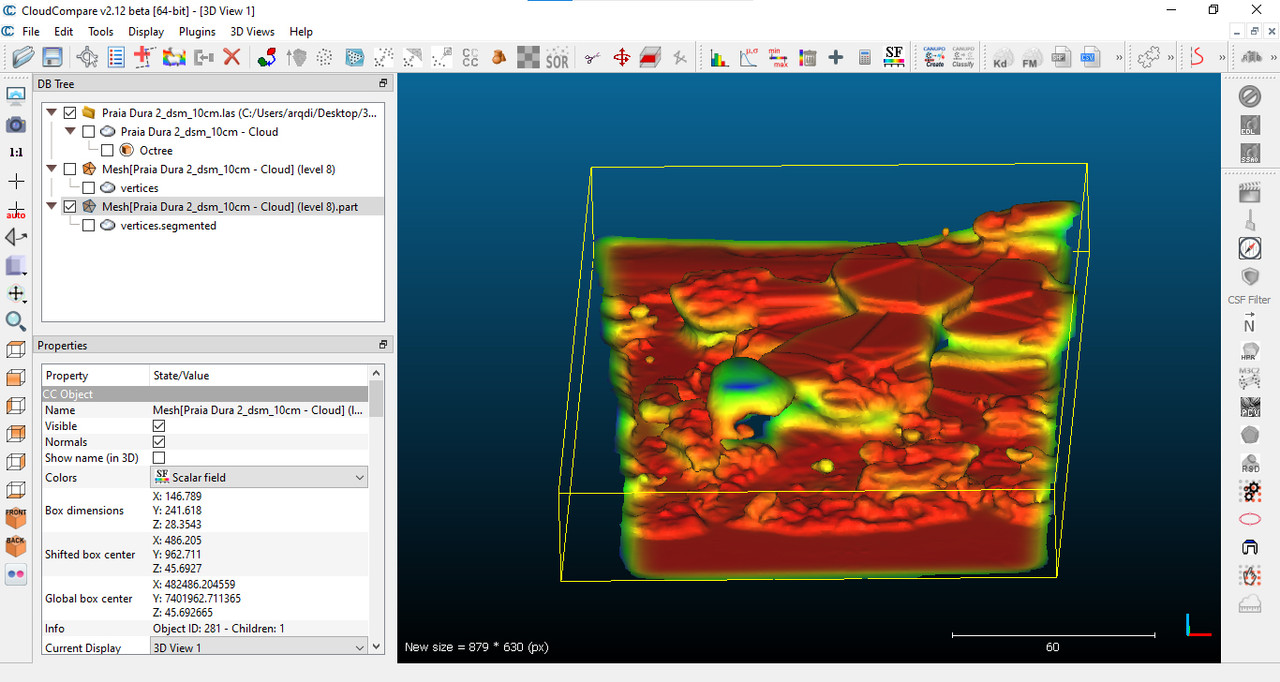
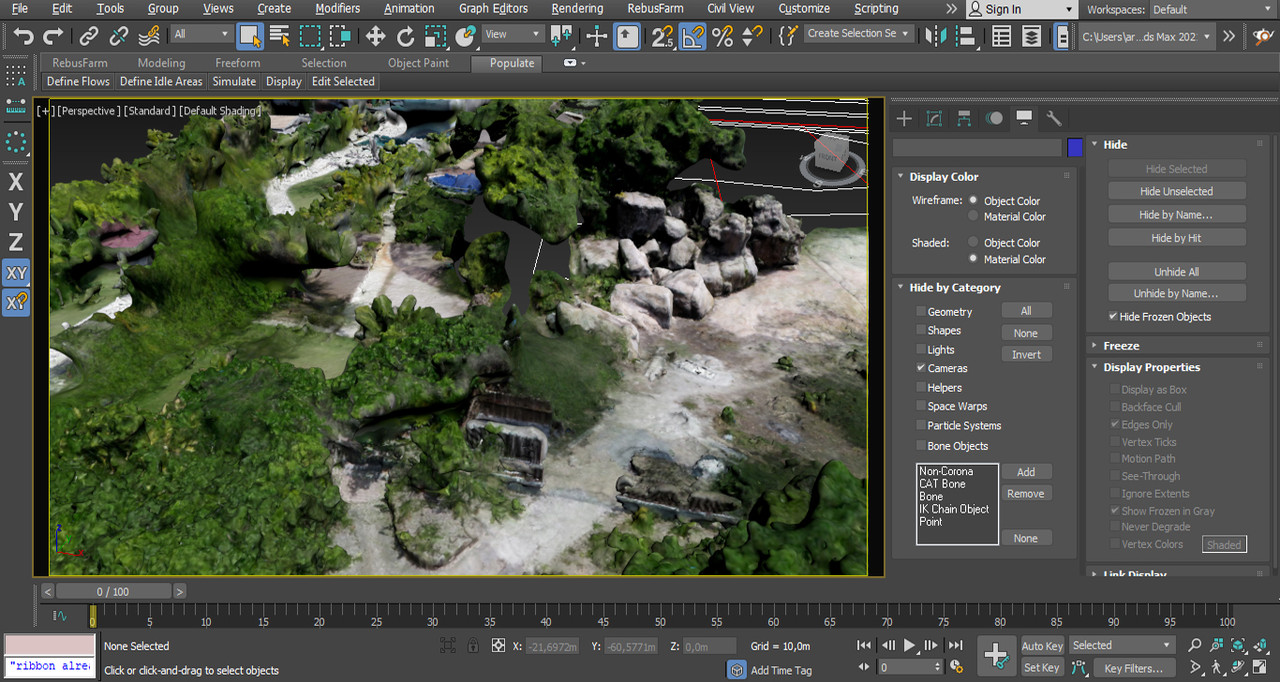
Image

Image

Update

I've found that when I try to open a file with less points, te software give me the RGB option, and when I try with the best resolution file, the RGB option freeze:
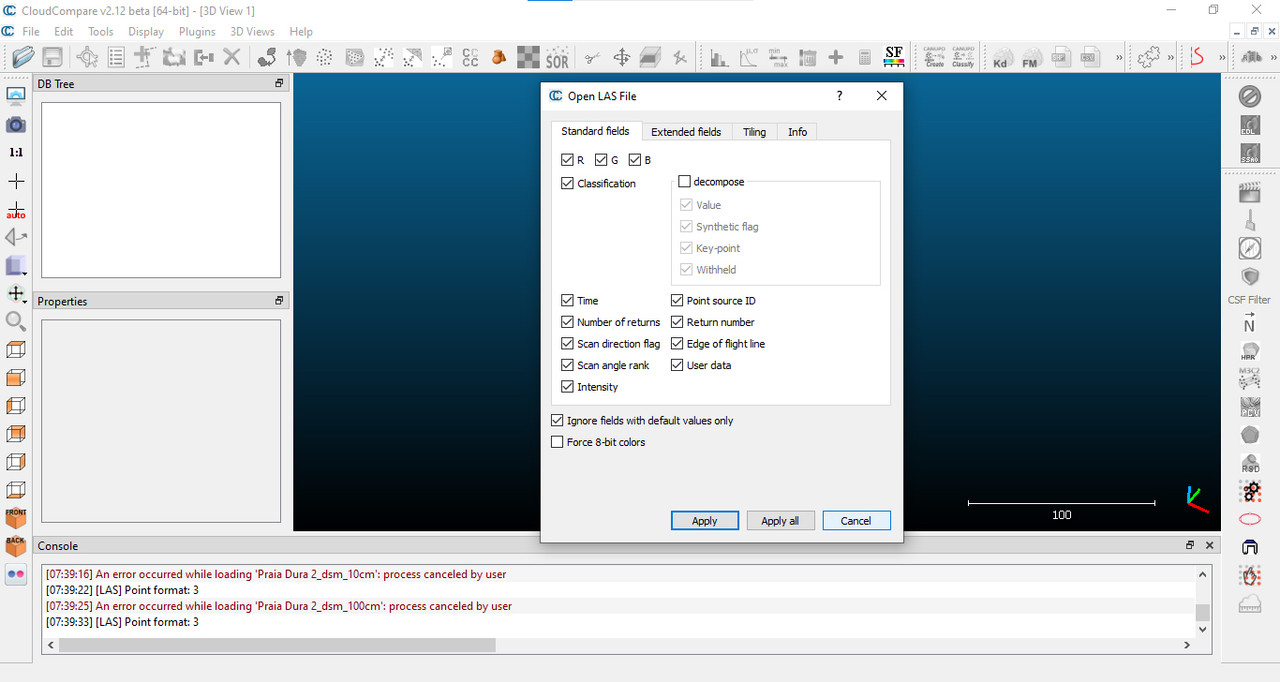
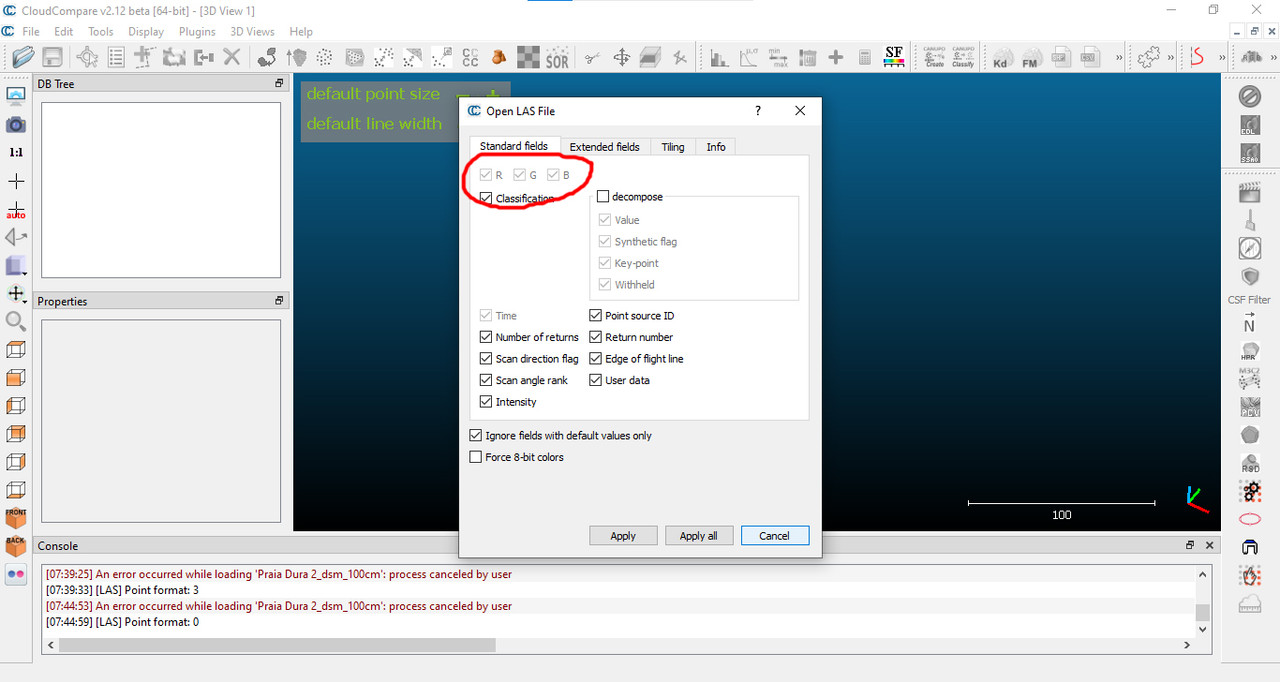
Image

Image
daniel
Site Admin
Posts: 8183
Joined: Wed Oct 13, 2010 7:34 am
Location: Grenoble, France
Contact:

Re: Can't display RGB

Post by daniel »

If you don't have the RGB option, it means that the information is not present in the file. I guess this information is missing in your high resolution LAS file?
Daniel, CloudCompare admin
3uild3d
Posts: 2
Joined: Fri Feb 04, 2022 5:38 pm

Re: Can't display RGB

Post by 3uild3d »

I've talked to the drone guy. He doesn't know why this is happening, the files are the (suppost to be) the same, only with less points...
Zetly_Casper
Posts: 9
Joined: Sun Jan 25, 2026 8:01 am

Re: Can't display RGB

Post by Zetly_Casper »

I’ve run into similar color inconsistencies in CloudCompare when importing data from different sources. A lot of the time it ends up being related to normalization/scalar field ranges or RGB values being interpreted differently during export/import.
It can help to inspect a few actual color values instead of relying only on the viewport rendering. I sometimes use https://colorpickerimage.org/ on screenshots/exports just to verify whether the RGB values are really changing or if it’s mostly a display/rendering issue inside the viewer.
Post Reply